
Your clinic, beautifully in sync.
One calendar for you and your secretary that never double-books, a reminder before every visit, a living chart of every tooth, and a ledger that knows who has paid and who hasn’t.
Arabic & English · iPhone & Android · Built for clinics in Iraq
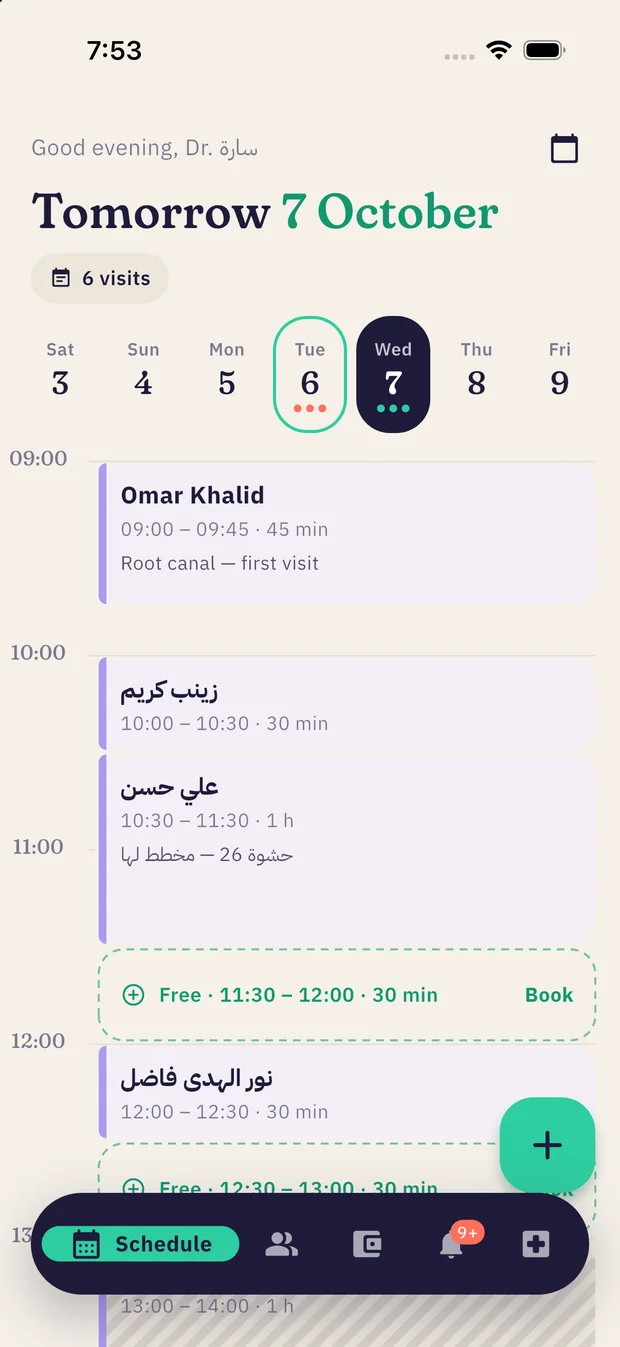
One calendar. Never two patients in one slot.
You book from your phone, your secretary books from theirs, and the server rejects anything that overlaps another visit or blocked time — even if you both tap Save at the same moment.
- Free gaps you can tapEvery empty stretch of the day shows as a “Free” slot. Tap it and book.
- Slots that fit the treatmentPick 45 minutes and the app suggests only the start times that actually fit.
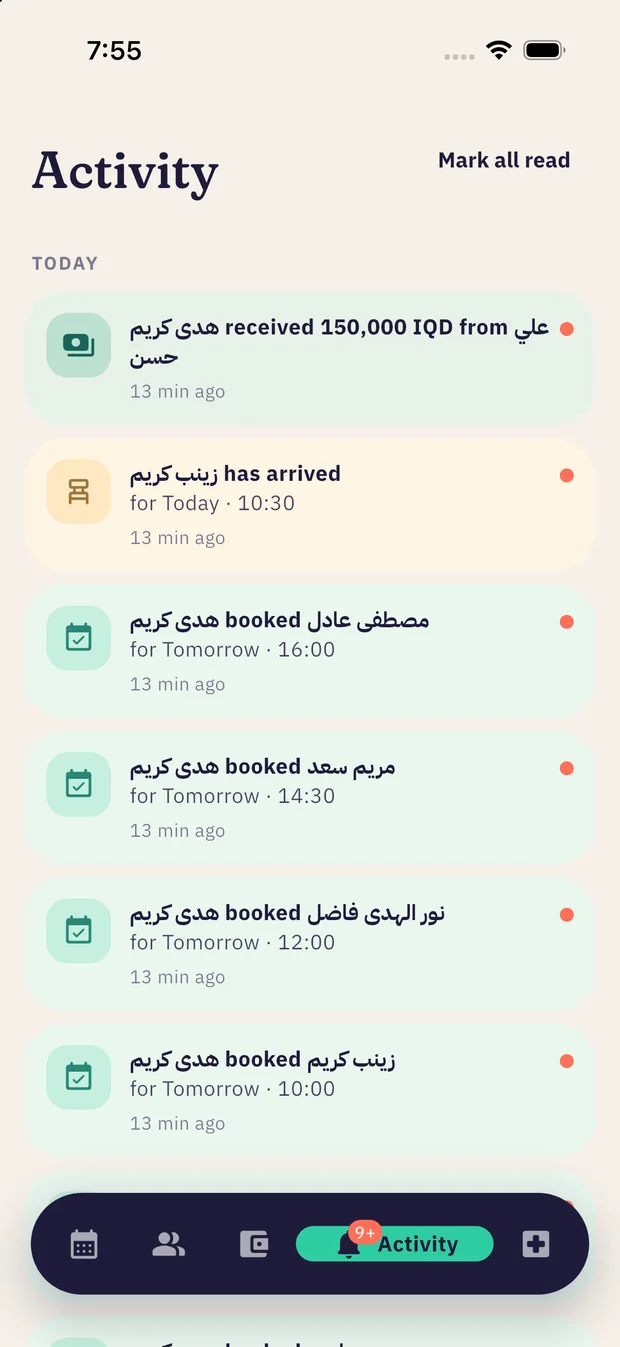
- A reminder before every visitArrives even when the app is closed — 10 minutes, an hour or two hours ahead, your choice.
- Live patient statusConfirmed, in the clinic, done, no-show — and the dentist is notified when a patient arrives.
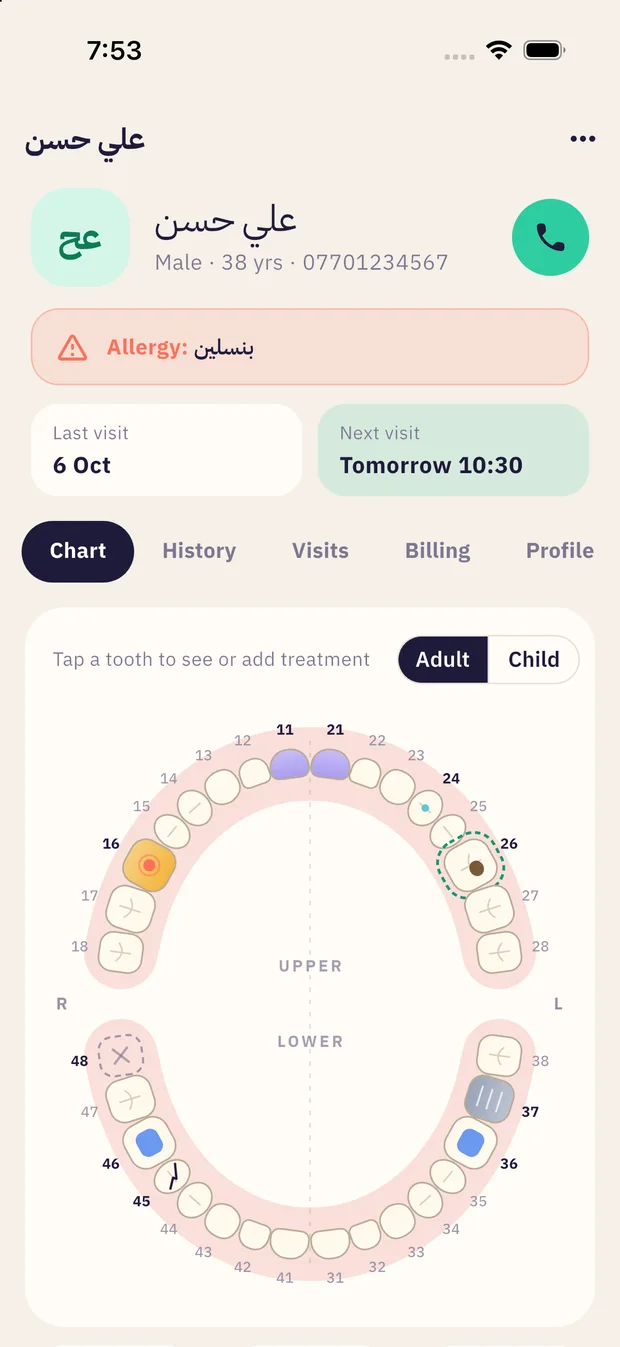
Every tooth’s history, one tap away.
An occlusal view of both arches with FDI numbering, for adults (32 teeth) and children (20). Each tooth is coloured by its history — caries, filling, root canal, crown, implant, extraction — and planned work gets a dashed ring.
Try it — tap any tooth
This chart is live here, just like in the app. Tap a tooth to see its record.
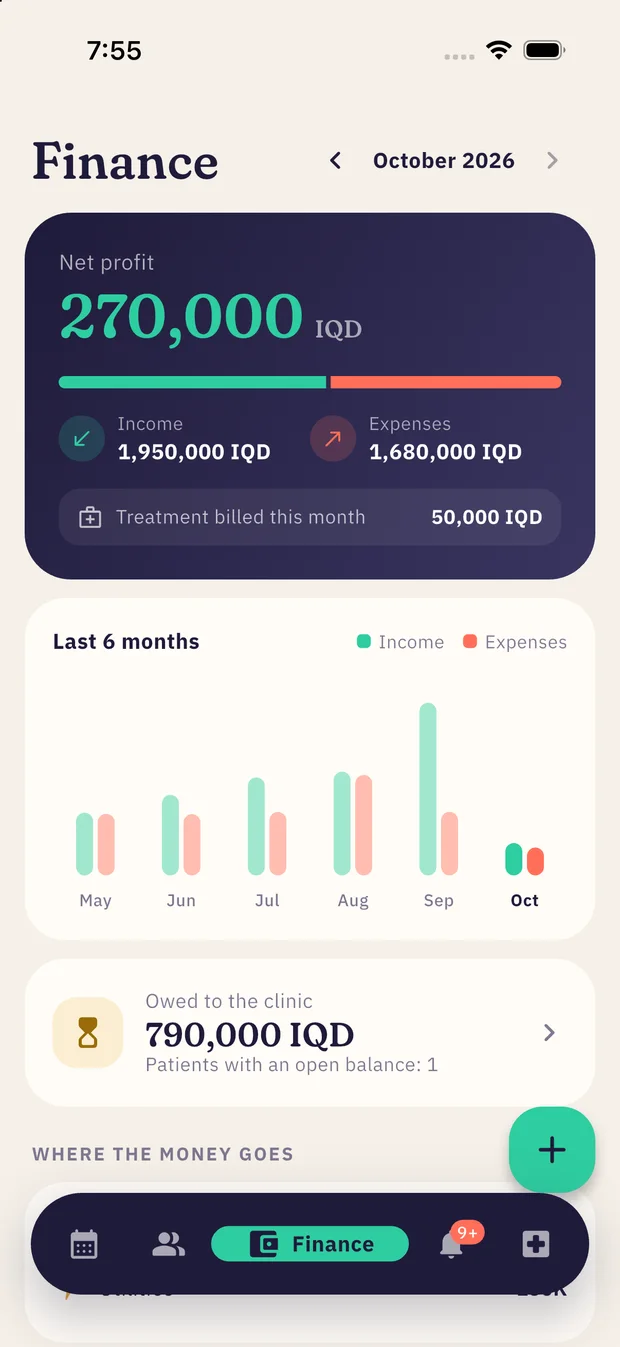
Know your clinic’s profit every month.
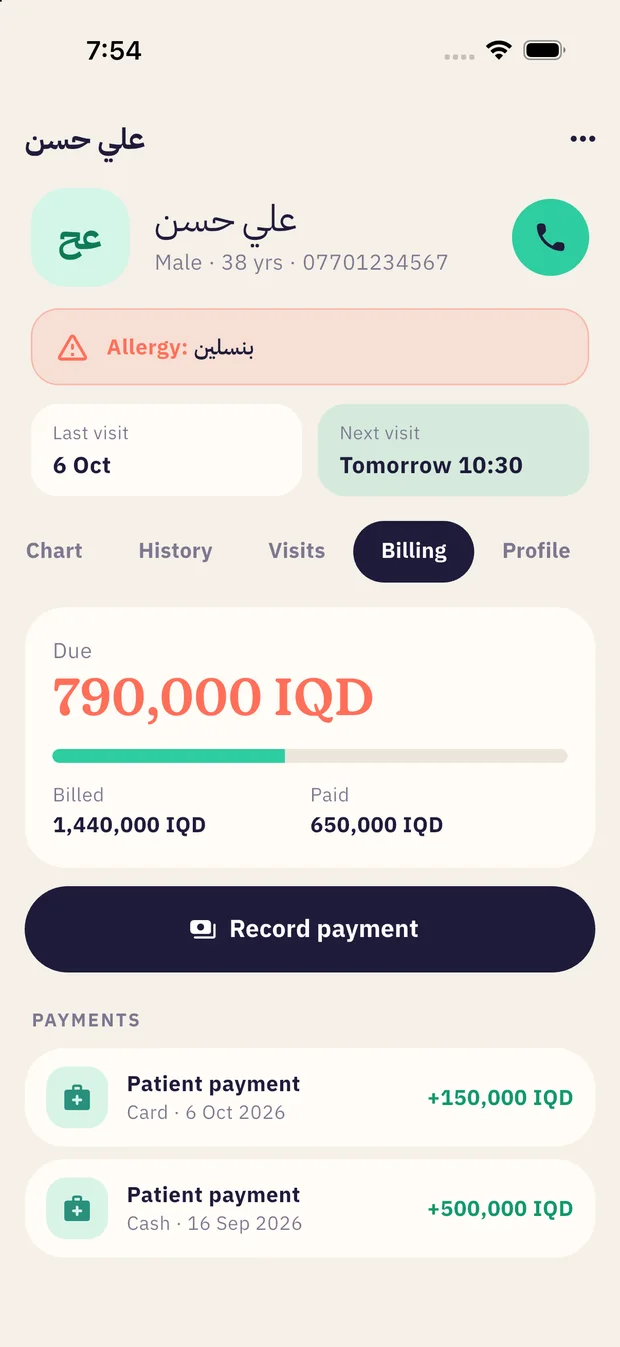
Income and expenses in one place, and a balance for every patient that ties the fees of completed treatment to what they’ve actually paid.
- Monthly net profitIncome against expenses, with the last six months side by side.
- Where the money goesRent, salaries, supplies, dental lab, equipment… ranked by size.
- Outstanding balancesWho still owes and how much — the remaining amount is pre-filled when you record a payment.
- Front desk collects, dentist seesThe secretary can record patient payments only; the full numbers are for the dentist.
Clear permissions for everyone.
The dentist creates the secretary’s account inside the app and can switch it off at any moment — they’re signed out instantly.
- Everything the secretary can do
- Edit the tooth chart and treatments
- Block personal time (surgery, lunch)
- Full finances and team management
- Book, move and cancel visits
- Add and update patients
- Record patient payments
- View the chart (read-only)
The details that matter every day.
Arabic first
Right-to-left throughout, Iraqi month names, and a week that starts on Saturday.
Reminders work offline
Visit reminders are scheduled on your phone itself, so they arrive without a connection.
Properly secure
Encrypted connections, hashed passwords, and every clinic fully isolated from the others.
iPhone and Android
The same app and the same data on both, with a dark mode.
Allergy alerts
A patient’s allergies show as a red banner on their file — before you start.
Your data is yours
Delete your account and all clinic data whenever you like, from the app or this website.
Before you start
Does the secretary need their own phone?
Yes — everyone signs in with their own account on their own phone. The dentist creates the secretary’s account under Clinic → Team, and bookings appear on both phones right away.
What if the dentist and secretary book the same time?
Only the first booking is accepted. The second sees “That time is taken” with the patient’s name and who booked it — so overlaps can’t happen.
Does it work offline?
Reminders do, because they live on the phone. Booking and viewing records need a connection, since the data is shared between the clinic’s devices.
Can a paediatric clinic use it?
Yes. The chart has a Child mode with the 20 primary teeth (51–85), and it opens automatically for patients under 12.
Who can see my patients’ data?
Only you and your clinic team. We don’t sell data, show ads or share it with anyone. Details are in the privacy policy.
How do I delete my account?
In the app: Clinic → Delete account. Or on the Delete account page of this website. Deleting a dentist’s account deletes the whole clinic permanently.
Ready for a calmer clinic?
Download the app, set up your clinic in a minute, and add your secretary.